
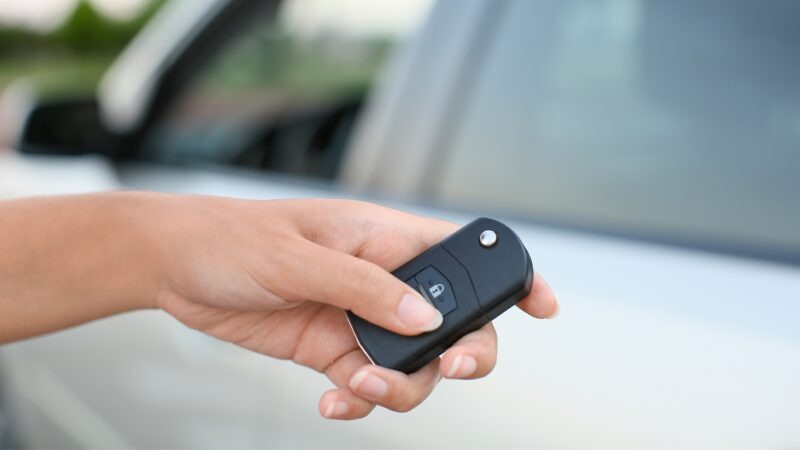
A car key that suddenly stops locking or unlocking your vehicle does not necessarily mean the key itself is faulty. Often, the problem is simply a weak or dead battery inside the key fob.
Replacing a car key battery is usually straightforward and can be done in a few minutes. However, the exact process depends on your key type, how the casing opens, and which battery the manufacturer uses.
In this guide, we explain how to replace a car key battery, how to identify the correct replacement battery, how the process differs between traditional remote keys, flip keys, and modern smart keys, and what to do if your key still doesn’t work afterwards.
Car key batteries gradually lose power rather than always failing without warning. This means you may notice changes in how your key works before the battery becomes completely flat.
Common signs include:
You need to stand closer to the vehicle for the key to work.
Locking or unlocking becomes intermittent.
You have to press the buttons several times.
The key fob stops working completely.
Your vehicle displays a Key Battery Low or similar warning.
Keyless entry becomes unreliable.
Your car occasionally struggles to detect your smart key.
A car key battery commonly lasts around two to four years, although its lifespan varies by key, battery, and frequency of use.
If your spare key works normally but your everyday key doesn’t, the battery is one of the first things to check.
No single battery fits every car key.
Most modern remote keys and smart keys use small lithium coin-cell batteries. Common examples include:
| Battery | Voltage | Common Use |
|---|---|---|
| CR2032 | 3V | Many remote and smart key fobs |
| CR2025 | 3V | Slimmer remote and smart keys |
| CR2016 | 3V | Compact key fobs |
| CR1632 | 3V | Some smaller remote keys |
| CR1620 | 3V | Selected compact key designs |
| CR2450 | 3V | Some larger smart keys |
The numbers matter. For example, a CR2025 and CR2032 are both 3V batteries, but they have different thicknesses. So don’t assume you can safely replace one with the other just because it fits inside the key.
The safest way to identify your battery is to check the vehicle owner’s manual or open the key and read the code printed on the existing battery.
If you are unsure, check the exact battery specification for your vehicle and key before buying a replacement.
Although key designs vary between manufacturers, the basic procedure is similar for many remote keys.
Before removing anything, establish which replacement battery your key requires.
If you cannot find the information in your owner’s manual, carefully open the key and check the number printed on the existing battery.
Try to purchase the same battery type rather than choosing one based purely on its appearance.
Many smart keys have a small mechanical emergency key hidden inside the fob.
Look for a release button, slider or catch on the side or rear of the key. Press or slide it while pulling out the mechanical key.
On some designs, removing this key also reveals the slot used to open the fob.
Look around the edge of the key for a small notch, groove or seam.
Insert a suitable small flat tool into the opening. Some keys can also be opened with a coin.
Do not force a screwdriver deeply into the casing. Too much pressure can damage the plastic housing, internal circuit board or retaining clips.
Gently twist the tool until the two casing sections begin to separate.
If needed, work gradually around the edge rather than forcing one section apart.
Pay attention to how everything is positioned before removing the battery.
Before taking the old battery out, note which side faces upwards.
Coin batteries normally have a positive (+) symbol on one side. Your replacement battery needs to be installed in the same orientation as the original.
Taking a quick photograph before removal can be useful if you are unsure.
Carefully release the old battery from its holder.
Avoid damaging the small metal contacts around it, as these connect the battery to the key’s electronics.
Install the correct replacement battery in exactly the same orientation as the old one.
Make sure it sits securely inside the holder and that the contacts are touching the battery correctly.
Align the two sections of the casing and gently press them together until the clips engage.
Reinsert the mechanical emergency key if your fob has one.
Stand near the vehicle and test the lock and unlock buttons.
If your vehicle uses keyless entry, also check that the car detects the key normally and that the engine starts.
The general principle is the same, but different key designs require slightly different approaches.
A standard remote key usually has a fixed metal blade and buttons to lock and unlock the vehicle.
Look for a seam or small opening around the plastic housing. Carefully separate the casing, locate the coin battery and replace it with the same type.
These are often among the simplest car keys to change a battery in.
A flip key has a metal blade that folds into the body and springs out when you press a button.
The battery compartment may be on the rear of the key or inside the main housing.
Be careful when opening a flip key because the casing may contain components for the folding mechanism and the electronics.
Do not dismantle the spring-loaded blade mechanism unless you need to access the battery.
Modern smart keys communicate with the vehicle for functions such as keyless entry and push-button starting.
Start by removing the hidden mechanical key if there is one. This often reveals a small opening you can use to separate the housing.
Once opened, replace the coin battery with an identical type, close the casing securely and test both the remote buttons and keyless functions.
A proximity key allows the vehicle to detect the key without you pressing a button.
Battery replacement is generally similar to a smart key. However, correct battery orientation and secure contact are particularly important.
If the vehicle still displays a low-key-battery warning immediately after replacement, check that you installed the correct battery and that it is properly seated.
Some vehicles use a card-shaped remote rather than a conventional key.
Depending on the design, the battery may be accessible through a removable cover or a small battery tray.
These casings can be relatively thin, so avoid bending or forcing the card while opening it.
Not every car key uses a disposable coin battery.
Certain keys use an internal rechargeable battery that charges while the key is in the vehicle or through another charging method. These batteries may not be designed for straightforward DIY replacement.
If a rechargeable key stops holding a charge, replacing the internal battery can involve opening a sealed key and potentially soldering electronic components.
In this situation, professional inspection is usually better than forcing the key open.
Usually, no.
Replacing the battery in a normal remote or smart key generally does not erase the key’s programming because the battery powers the remote functions rather than storing the vehicle’s security information.
However, this is not universal.
Some vehicles may require the remote to be resynchronised after a battery replacement, particularly if the battery has been flat or removed for an extended period. Some keys and vehicles also require additional procedures. For example, Halfords notes that some keys cannot be handled through its standard battery replacement service because a dealer reprogramming procedure may be required.
Always follow the procedure specified for your particular vehicle.
If you installed a new battery but the key still doesn’t work, don’t assume the replacement battery is faulty right away.
First check:
Is it definitely the correct battery type?
Is the battery installed the right way around?
Is the battery securely seated?
Are the metal battery contacts making proper contact?
Is the new battery itself in good condition?
Has the key casing closed correctly?
Does your spare key work?
Does the vehicle require the key to be resynchronised?
If all of these are correct, the problem could be elsewhere in the key.
Common faults include damaged buttons, worn microswitches, water damage, damaged circuit boards, broken battery contacts or problems with the key’s internal electronics.
At that point, an auto locksmith can inspect the key and determine whether it can be repaired or needs to be replaced.
For many vehicles, yes.
If the key has an accessible battery compartment and uses a standard coin-cell battery, replacement can be a simple DIY task.
The important thing is not to force the casing.
Modern car keys contain delicate electronics, and damaging the circuit board, battery contacts, transponder, or casing can turn a simple battery change into a much more expensive key repair or replacement.
If the key does not open easily or you are unsure how it comes apart, it is safer to check the manufacturer’s instructions or ask an auto locksmith.
The battery itself is usually inexpensive compared with replacing an entire car key.
As a current UK retail reference, common branded key-fob batteries cost roughly £5.50–£12, depending on the battery type and pack size.
If you already know the correct battery and are comfortable opening the key, DIY replacement therefore costs very little.
If you want someone else to fit it, the price will depend on the provider and key. For comparison, Halfords currently lists its key-fob battery fitting service at £7, excluding the cost of the battery itself.
Treat these prices as general UK examples, not fixed prices for every vehicle or provider.
If the problem isn’t the battery and the key needs repairing, programming, or replacing, the cost can be considerably higher and will depend on the make, model, and type of key.
There is no fixed replacement interval for every vehicle.
A typical key-fob battery can last approximately two to four years, although usage and key design can affect its lifespan.
You don’t necessarily need to replace a working battery on a strict schedule. However, if you notice the operating range becoming shorter or the key responding inconsistently, changing the battery early can prevent it from failing when you need it.
It depends on the vehicle.
In many modern keyless vehicles, a flat key battery doesn’t necessarily mean you cannot start the car. Manufacturers often provide an emergency procedure that allows the vehicle to recognise the key even when the remote battery is weak or flat.
This may involve holding the key against a designated area, placing it in a specific location inside the vehicle or using a hidden mechanical key to gain entry.
The exact procedure varies significantly between vehicles, so consult your owner’s manual rather than relying on a generic method.
If the car still cannot recognise the key, the problem may go beyond the battery.
A few simple habits can help protect both the battery and the key itself:
Keep the key away from excessive heat and moisture.
Avoid dropping the key or repeatedly knocking it against hard surfaces.
Don’t press buttons unnecessarily while the key is in your pocket or bag.
Use a good-quality replacement battery of the correct specification.
Keep a spare key in working condition.
Check your spare key periodically rather than leaving it unused for years.
Replace a weakening battery before it becomes completely flat.
It is also worth keeping your spare key somewhere safe and accessible. A spare is much more useful when you know that its battery and remote functions still work.
A battery replacement should normally restore a key that has simply lost power. If it doesn’t, a professional diagnosis can save you from unnecessary part replacements.
Consider contacting an auto locksmith if:
The key still does not work with a new battery.
The key has been dropped or physically damaged.
The key has suffered water damage.
Buttons are broken or unresponsive.
The battery holder or contacts are damaged.
The vehicle no longer recognises the key.
Your key needs programming or resynchronisation.
You have lost your only working key.
You need a replacement or spare car key.
The key is to identify whether the problem is the battery, the remote electronics, the transponder, the key programming, or the vehicle itself.
Changing a car key battery is often quick and inexpensive, but a new battery will not solve every key problem.
If your car key still isn’t working after a battery replacement, or you need help with a damaged, lost or faulty key, H Locks can help.
Rather than guessing whether the issue is the battery, key fob, or programming, speak to H Locks for professional advice and the right solution for your vehicle.
Contact H Locks today for help with your car key.